
 Essential Utility
Battery Alarm: Maximize Your Battery Health & Lifespan.
Battery Alarm sounds a loud alert when your battery reaches a full or low level you choose, so you can unplug or plug in at the right time and avoid overcharging and deep discharge. Free, fully offline, no ads and no account.
- 100% Offline
- No Ads
- No Account
- Rated 3+
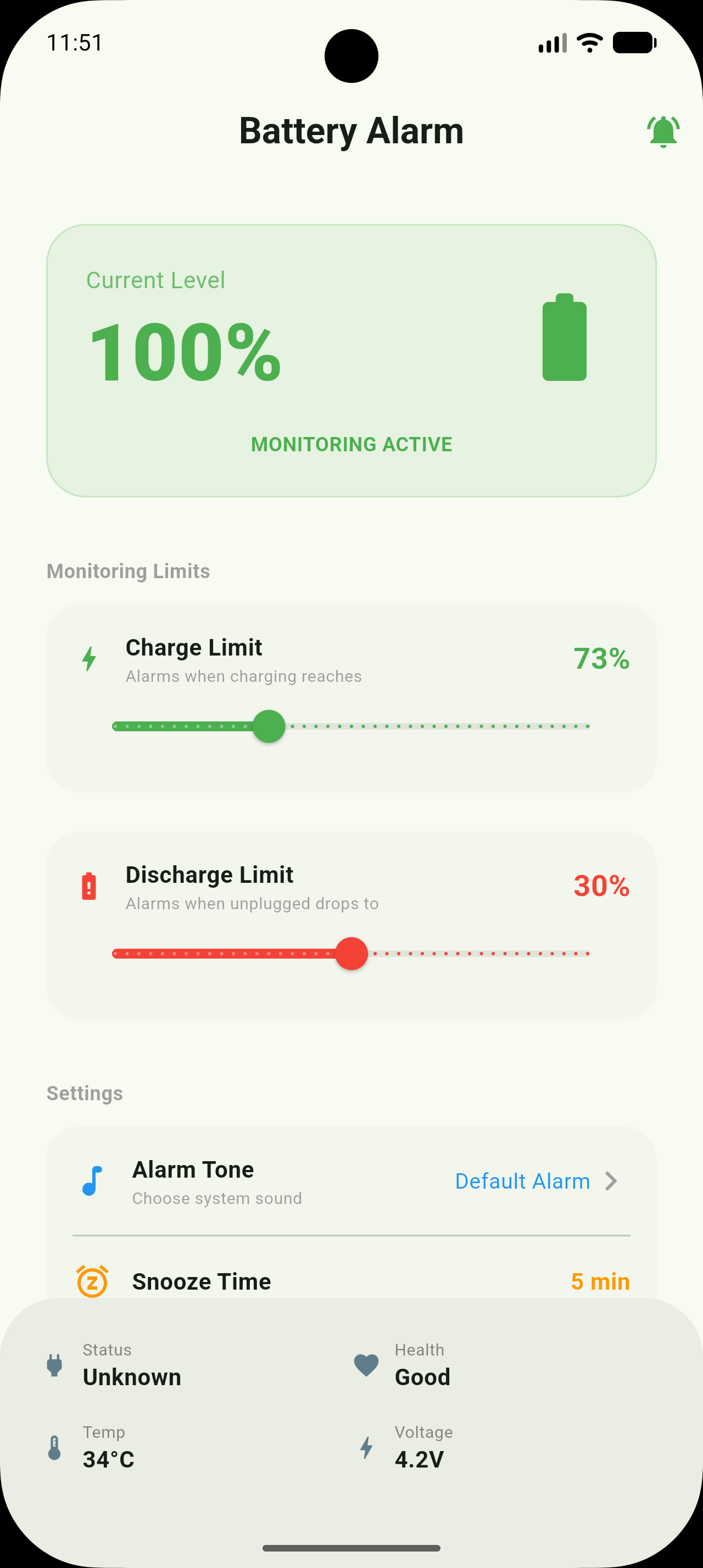
The Power of Prevention
Stop Overcharging
Set a maximum charge level (e.g., 80%) and receive a loud looping alarm when your phone reaches it, so you can unplug before it sits at full charge and heats up.
Protect Battery Health
Lithium-ion batteries generally wear more slowly when kept between about 20% and 80%. Battery Alarm helps you stay in that range, which reduces heat and charge stress over time.
Low Limit Notification
Set a minimum level (e.g., 20%) and get a reminder to plug in before the battery runs very low, which helps you avoid deep discharge stress and surprise shutdowns.
How Battery Alarm Works
Set Your Limits
Use the sliders to choose a high limit between 60% and 100% (80% recommended) and a low limit between 10% and 50% (20% recommended).
Use Your Phone Normally
A lightweight background service watches your charge level in real time, and works offline with no account.
Hear the Alarm, Then Act
When a limit is reached, you get a looping alarm and a high-priority notification. You then unplug or plug in your charger yourself.
- Real-time charge status, voltage, temperature and battery health
- Custom alarm tones, snooze intervals and volume
- Works fully offline, with no extra downloads
- No ads, no account, no data collected
Battery Alarm FAQ
Quick answers about charge limits, alerts and privacy.
What is Battery Alarm?
Battery Alarm is an Android app that sounds an alert when your battery reaches a high or low charge level that you choose, such as 80% or 20%, to help you protect your battery health.
How does Battery Alarm help protect my battery?
It alerts you when your battery reaches your high limit so you can unplug before overcharging, and when it reaches your low limit so you can plug in before a deep discharge. This helps you keep your charge in a gentler range.
What is the best charge range for battery health?
Lithium-ion batteries generally wear more slowly when they are kept between about 20% and 80%, because staying at full charge, running very low and heat all add stress. Battery Alarm lets you set alerts at those levels.
Can I set my own battery limits?
Yes. You can set a high limit between 60% and 100% (80% recommended) and a low limit between 10% and 50% (20% recommended).
Does Battery Alarm stop charging automatically?
No. Battery Alarm notifies you with an alert when your battery reaches the level you set, and you then unplug or plug in your charger yourself.
Does Battery Alarm need internet, an account or show ads?
No. Battery Alarm works fully offline, does not require an account and has no ads. Read the Battery Alarm Privacy Policy.
What permissions does Battery Alarm need?
Battery Alarm needs notification permission to show alerts when your battery reaches your limits. It also runs a foreground background service so it can monitor your battery while your screen is locked or idle.
Is Battery Alarm available for iPhone?
Battery Alarm is currently available for Android devices on Google Play.
Where can I download Battery Alarm?
You can download Battery Alarm from Google Play by searching for Battery Alarm by Synkn or using the download link on this page.